
Color Tokens
All color tokens from your Tailwind config or MUI theme are extracted and bound as Figma Variables — on every plan.
How it works
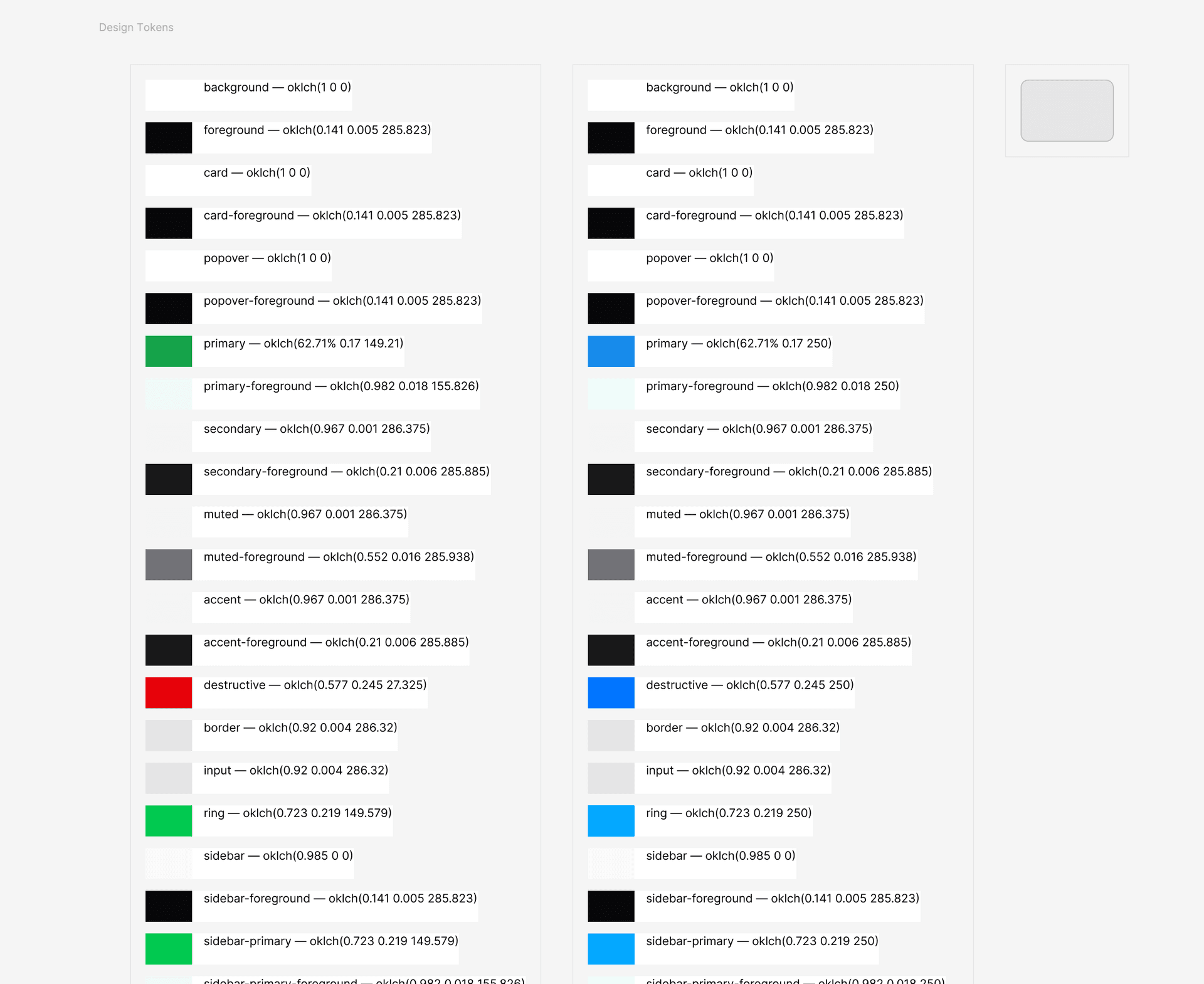
The scanner collects every color token used across your components and maps them to their resolved values from your Tailwind config and CSS custom properties — or, for MUI projects, from your theme's palette, with Variables carrying MUI-native names like color/primary/main. These become Figma Variables automatically — on a paid Figma plan as modes inside one 'Design Tokens' collection, on a free plan as two separate collections. Every frame fill, stroke, and text colour is bound to a Variable, so updating a token value in Figma's Variables panel immediately propagates across the entire design system.
Usage
- 1
Run 'Generate Design System Page' — color tokens are extracted and Variables are created automatically.
- 2
All color tokens (semantic and palette) become Figma Variables in a 'Design Tokens' collection.
- 3
On a paid Figma plan, light and dark themes are two modes in one collection — switch themes directly from the Variables panel.
- 4
On a free Figma plan, Figma only allows one mode per collection, so two separate collections are created instead (Primary and Secondary). This is a Figma platform limitation, not an Inkbridge restriction.
- 5
Every fill, stroke, and text colour is bound to a Variable — changing a token value updates the whole design system instantly.