
Theme Variants (Light / Dark)
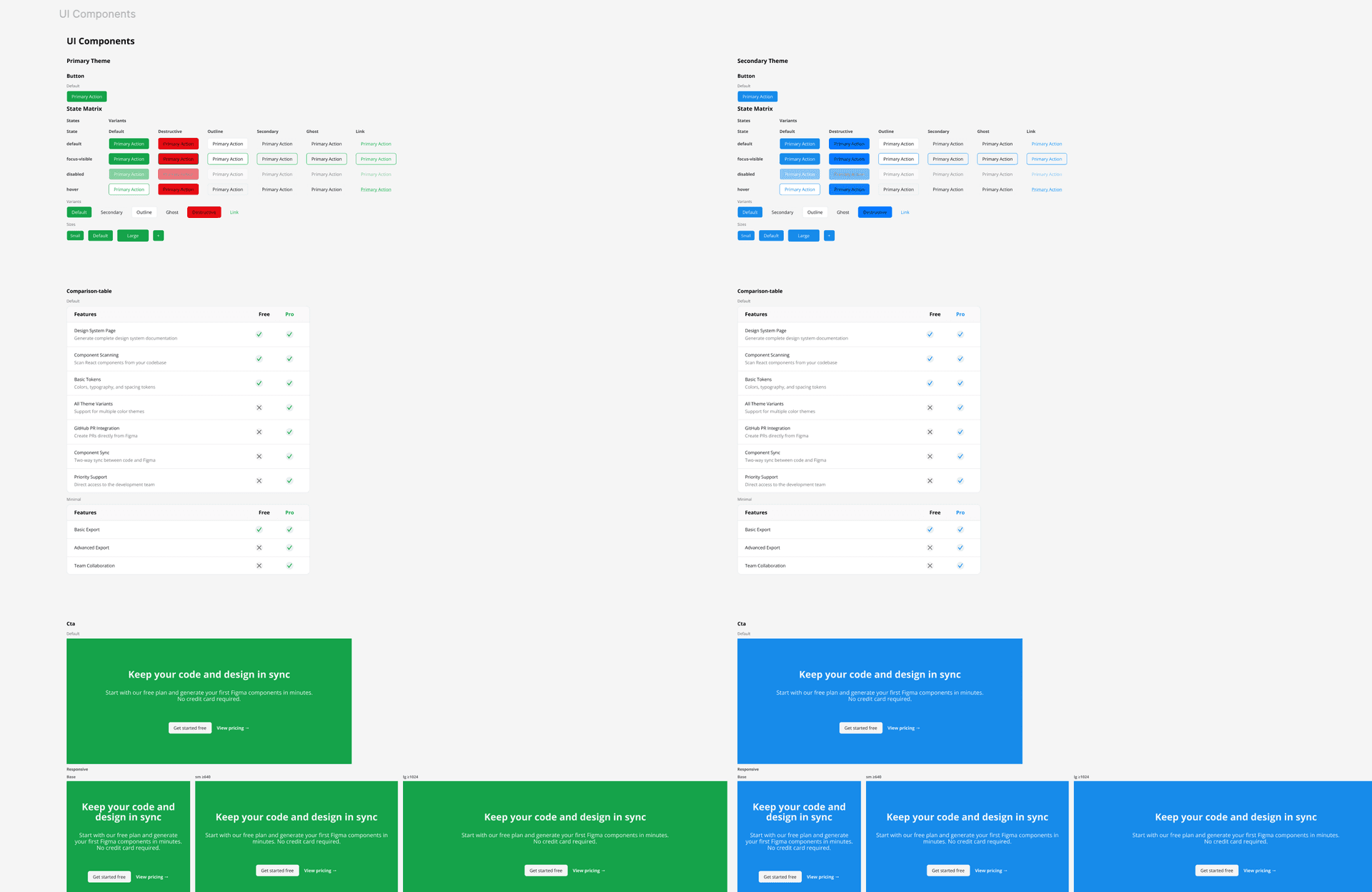
Every theme defined in your CSS is rendered in Figma — free users get side-by-side columns, Figma paid plan users get native Variable mode switching. A preflight checkbox group lets you pick which themes to build per run.
How it works
The plugin discovers every theme declared in your CSS (each `.<theme>` class block under your `@theme` block) and generates them all by default. On a free Figma plan the themes are rendered as frames in one of two layouts you pick in the preflight panel: Lanes (each theme its own independent vertical column) or Compare (themes side by side within each section for direct comparison). On a Figma paid plan the plugin can also use Figma Variables multi-mode, letting designers toggle the active theme from the Variables panel without duplicating frames. When you have more than one theme, the preflight panel that pops up before 'Generate' includes a Themes checkbox group and the Lanes/Compare switcher at the top — tick only the themes you want to render this run, and both the selection and the layout choice persist per-document. MUI projects work the same way — each theme module you export (e.g. a default and a secondary brand theme) is discovered and rendered.
Usage
- 1
Every theme defined in your CSS is generated on every 'Generate Design System Page' run by default — no extra steps.
- 2
If you have more than one theme, the preflight panel shows a Themes group at the top with one checkbox per theme. Untick to skip a theme for this run; the selection is remembered for next time.
- 3
Tick none and the plugin treats it as 'build them all' — the safe default when you haven't made a choice yet.
- 4
On a free Figma plan: each selected theme is rendered as frames — either Lanes (each theme its own column) or Compare (themes side by side), chosen via the Theme layout switcher in the preflight.
- 5
On a Figma paid plan: the plugin creates a Variable collection with one mode per theme, enabling theme switching from the Variables panel.
- 6
Semantic color tokens (e.g. `background`, `foreground`, `primary`) map to the correct value in each mode.
- 7
Ensure your CSS custom properties define values for every theme block (`:root` for the default + `.<theme>` for each variant).