
Responsive Previews
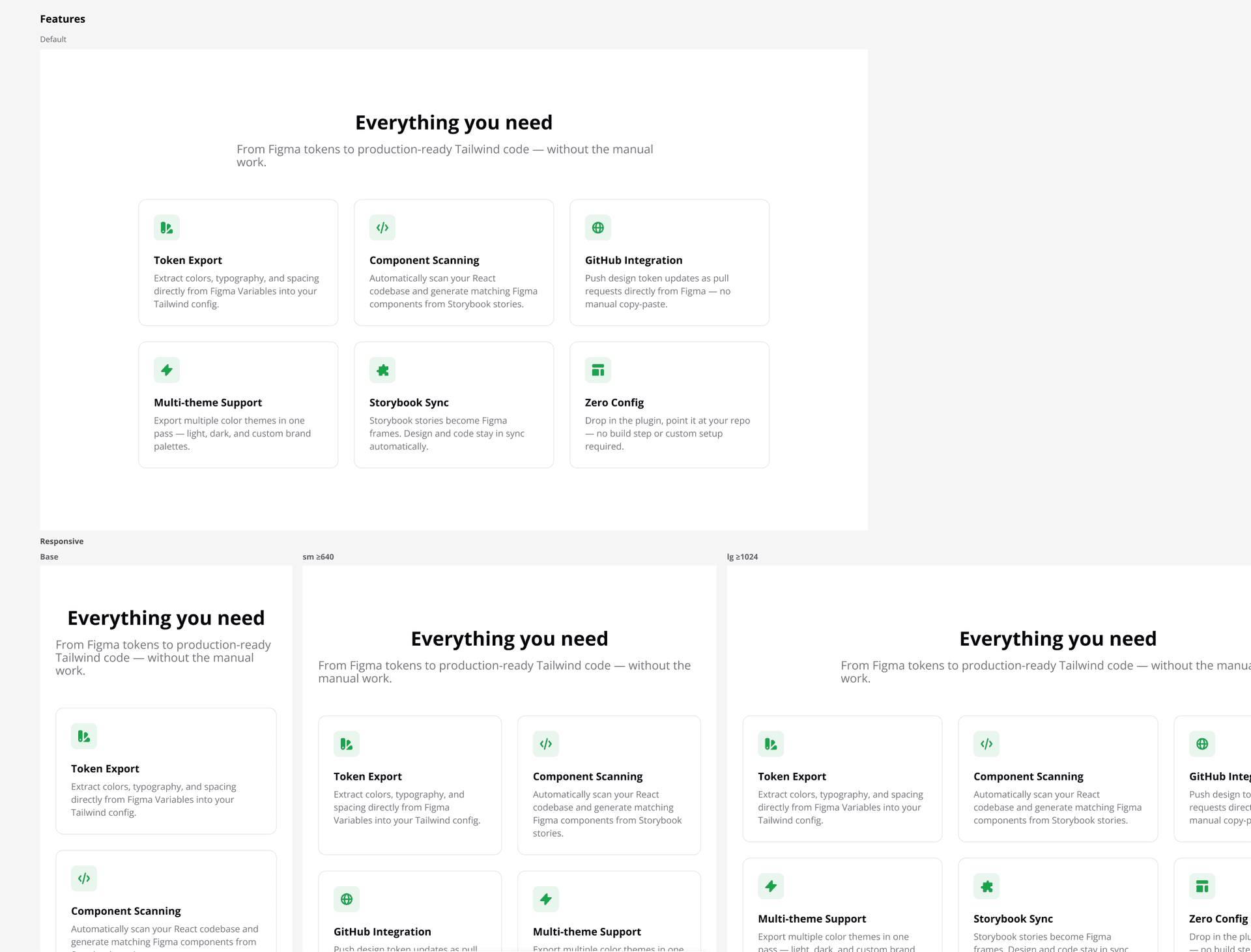
The Default story of every component gets a responsive preview row at sm, md, lg, and xl. Variant stories opt in or out via a Storybook parameter.
How it works
The scanner analyses each component's class list for responsive prefixes (`sm:`, `md:`, `lg:`, `xl:`). When found, the plugin can render a responsive preview block — a row of frames, one per breakpoint, each clipped to the correct viewport width. Classes resolve correctly at each size, so `hidden sm:flex` and `flex-col sm:flex-row` behave exactly as in the browser. To avoid frame explosion when a component has many variants, only the canonical Default story renders responsive previews by default; variant stories (`Loading`, `WithError`, `Empty`, …) render as a single frame unless you opt them in explicitly with `parameters.inkbridge.responsive = true`. The Default story itself can be opted out with `parameters.inkbridge.responsive = false`. If no story is named `Default`, the first story export in the file is treated as the canonical one.
Usage
- 1
Write Tailwind classes with responsive prefixes (`sm:`, `md:`, `lg:`, `xl:`) as you would in the browser — no additional setup.
- 2
The story named `Default` (or the first export if no `Default` exists) automatically gets a responsive preview row beneath its single-frame render.
- 3
To add responsive previews to a variant story, set `parameters: { inkbridge: { responsive: true } }` on that story export.
- 4
To suppress responsive previews on a story that would otherwise get them, set `parameters: { inkbridge: { responsive: false } }`.
- 5
Each breakpoint renders in a frame clipped to its viewport width (640, 768, 1024, 1280 px) — class resolution matches the browser exactly (`hidden sm:flex` hides at base, shows from sm up).