
CVA Variant Detection
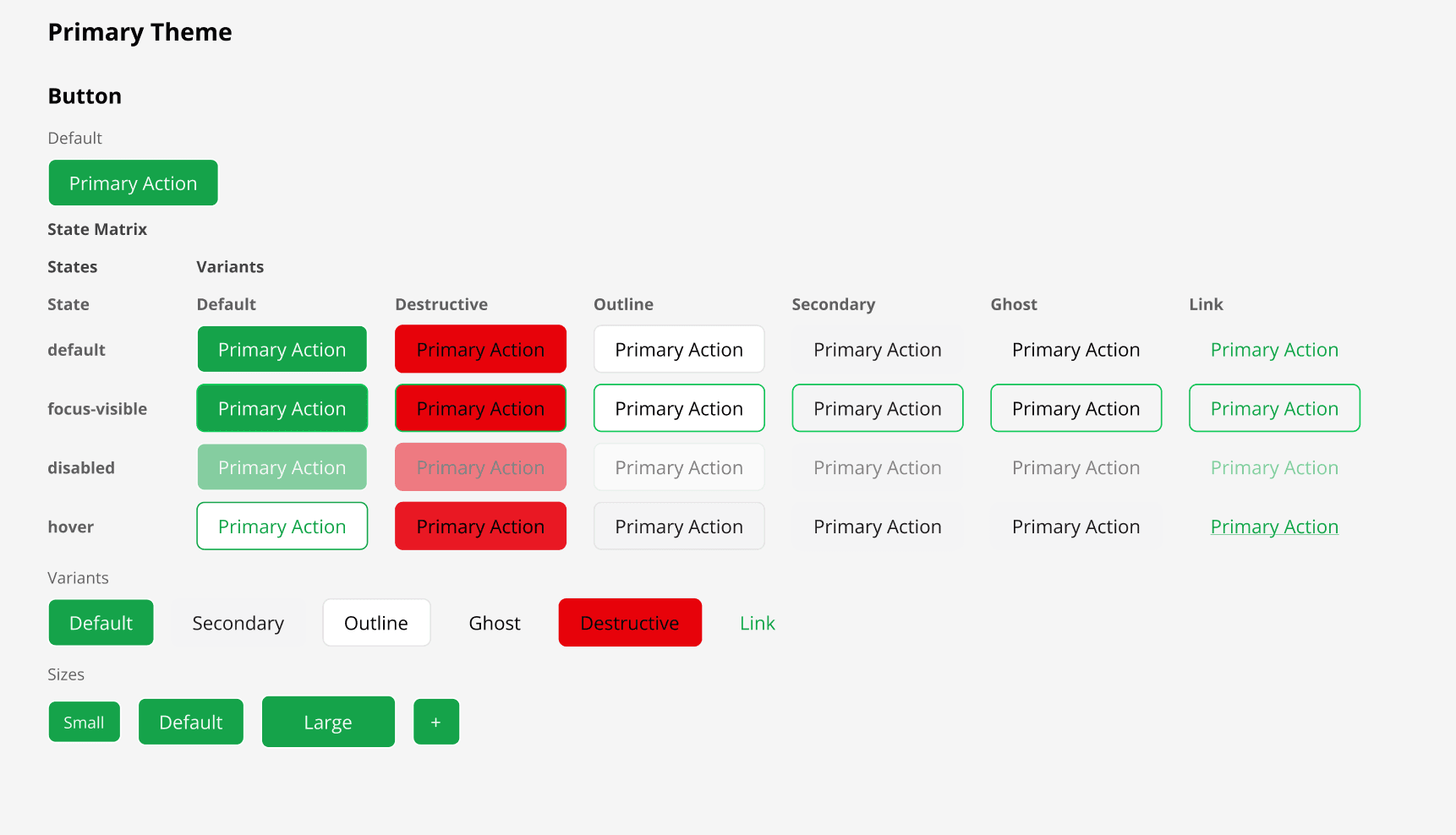
Class Variance Authority components are detected and all variant combinations rendered as a state matrix.
How it works
The scanner recognises the `cva()` call signature, extracts every variant key and its possible values, and enumerates the full combination matrix. In Figma each combination becomes its own frame, giving designers a complete at-a-glance reference for buttons, badges, inputs, and any other CVA component. CVA gets special treatment because it has a declarative variant schema — the scanner knows all possible values upfront and can generate the full matrix automatically. For components using `cn()`, `clsx()`, or `twMerge()`, the scanner still extracts all static Tailwind classes from those calls. Those non-CVA components can still be rendered as reusable symbol candidates when they are detected as reusable atoms/molecules, but without auto-generated CVA variant matrices. Each variant value also carries an inferred semantic **intent** — e.g. a `destructive` variant resolves to "danger" from its design-system color token — surfaced in the model (and over MCP) for agent reasoning; the vocabulary is danger, warning, success, info, primary, and neutral.
Usage
- 1
Define your component using `cva()` from the `class-variance-authority` package.
- 2
The scanner detects the `cva()` call automatically — no annotation needed.
- 3
Every variant key (e.g. `variant`, `size`) and its possible values are extracted.
- 4
The full combination matrix is enumerated and rendered as a grid of Figma frames.
- 5
Compound variants (multiple conditions) and `defaultVariants` are also respected.
- 6
Each variant value is tagged with an inferred intent (danger / warning / success / info / primary / neutral) from its color token — surfaced over MCP for agent reasoning.
- 7
Components using `cn()`, `clsx()`, or `twMerge()` are also fully scanned — their static classes are extracted and applied correctly, just without variant matrix generation.